Firstly Create a new Project >> ASP.NET web application >> MVC then install Entity Freamwork This application is Student registration For University 1.------------------------------------------------------ First, Edit the _Layout.cshtml file inside the shared Folder
Windows Form Application with Entity Framework, SQL Server Open a Windows form Application. Firstly Create a Model Right Click the Solution >> Add >> Select the class >> type the appropriate Name for the model. Then Go to Menu Select Project >> Manage Nuget Packages >> Online >> Select Entity Framework and Install.
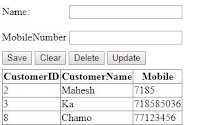
C# Windows Application with SQL Server Database. I will explain step by step how to create a C# windows application. This post will help you to Create, View, Update, Delete operation works.